


Integrate Microsoft Teams calls with Salesforce directly without an extra phone system
Unaric makes Microsoft Teams calls happen inside Salesforce:
reps handle inbound & outbound calls in one click, the right records pop up, and details, notes, transcriptions, and performance metrics are logged automatically














Why choose us?
Unlike third-party telephony platforms, Unaric is embedded in Salesforce and connects natively to Teams, cutting out extra systems and reducing complexity.
Move pipeline faster
Sales reps can move faster with instant dialing, automated outreach, and fewer manual updates after each call. Missed calls or prospect lists can be dropped into automated sequences to help maximize productivity.

Improve the customer experience
With detailed call history and smart routing, every interaction becomes more personal and more efficient. Capture call notes and follow-ups so nothing gets lost.

Boost Salesforce adoption and data accuracy
Your teams will spend less time switching systems and more time on Salesforce. With fewer input errors and more complete data, you’ll be able to make smarter decisions and train AI agents more effectively.
How it works
Handle calls and follow-ups without leaving Salesforce
Reps can click any number in Salesforce to start a Teams call without switching screens. When the call ends, Unaric prompts them to log notes, outcomes, and next steps keeping your CRM organized.
.png)
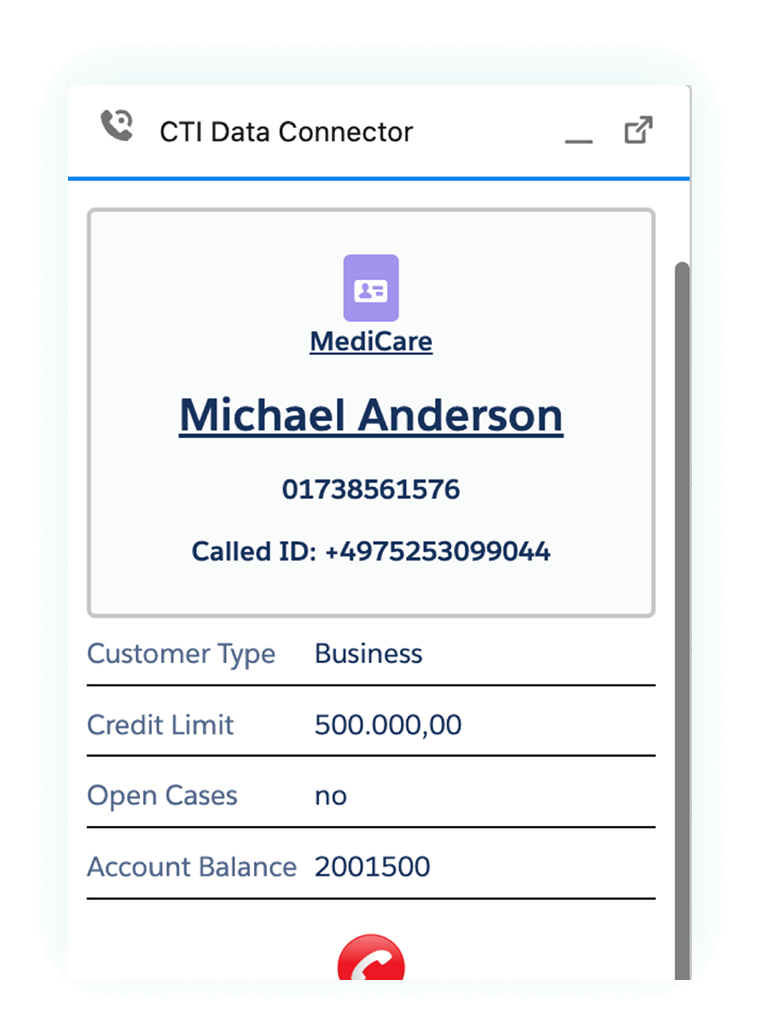
See the right record instantly when making or receiving a call
When someone calls, the right Salesforce record pops up instantly showing customer name, past interactions, open cases, and SLAs. For outbound calls, records pop up as you dial, helping sales personalize every conversation.
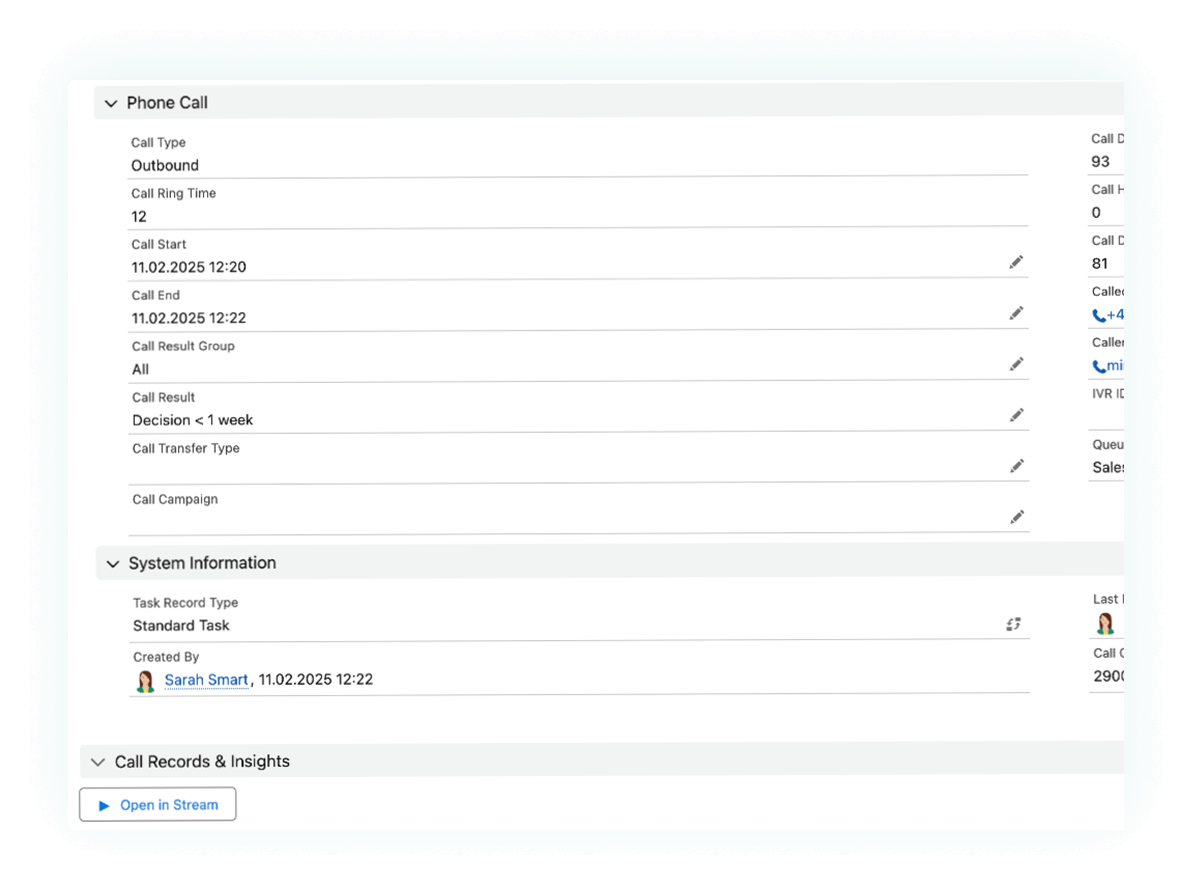
Automatically log every call detail
Calls are instantly logged in Salesforce with outcomes, transcriptions, notes, and metrics—linked to the right contact, account, case, or opportunity. So every interaction is recorded, easy to find, and actionable.
.png)
Automate outbound campaigns & customer follow-ups
Convert missed calls and prospect lists into automated call sequences with one click. The Campaign Dialer instantly queues calls, keeping sales teams focused on prospecting and service teams on customer follow-ups.
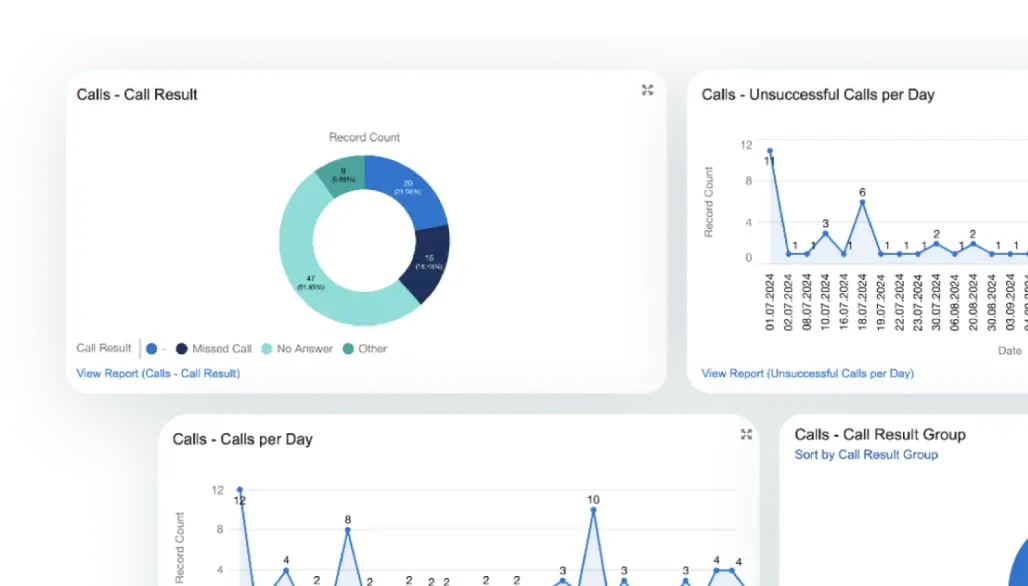
Track sales performance with real-time analytics
Track call volume, duration, missed calls, conversation rates, and more inside Salesforce with prebuilt dashboards. Easily spot trends, refine strategies, and analyze performance by rep, campaign, or segment.
Monitor calls & assist agents in real-time
Track live call activity inside Salesforce with the Live Agent Dashboard. See who’s on a call, in a meeting, or available. Supervisors can listen in, join calls to assist, and track inbound, outbound, and queued calls—all in real time.

Our Pricing
To learn more about our pricing, please get in touch.
15 users minimum
Microsoft Teams calling inside Salesforce
Automatic caller lookup in Salesforce
Feature
Click-to-dial from Salesforce
Automatic call logging
Campaign dialer
Live agent dashboard
Reporting & analytics
Link Microsoft Teams recording summaries & transcriptions to Salesforce
Supervisor features (barge-in, listen)
Call logging for users logged out of Salesforce
Call logging for abandoned calls in queues
Feature
Feature
Feature
Feature
Feature
Feature
Feature
Feature
Feature
Feature
Feature
Feature
Feature
Speak to sales to hear about our volume-based pricing for Enterprise oraganizations.
Feature
Feature
Feature
Feature
Feature
Feature
Feature
Feature
Feature
Feature
Feature
Feature
Feature
Feature
Feature
Feature
Feature
Feature
Feature
Feature
Feature
Feature
Feature
Feature
Feature
FAQs
See Unaric in action
Input your details and one of our product experts will be in touch to arrange ademo. Your demo will include:
An overview of the core featuresand benefits.
A deeper dive into the challengesyou’re facing now, and howUnaric Voice can help.
A follow up email with helpful details and documentation to help you make an informed decision.

