

%201.svg)

For teams that run Dynamics 365 on Google Workspace
Dynamics 365, inside Gmail.
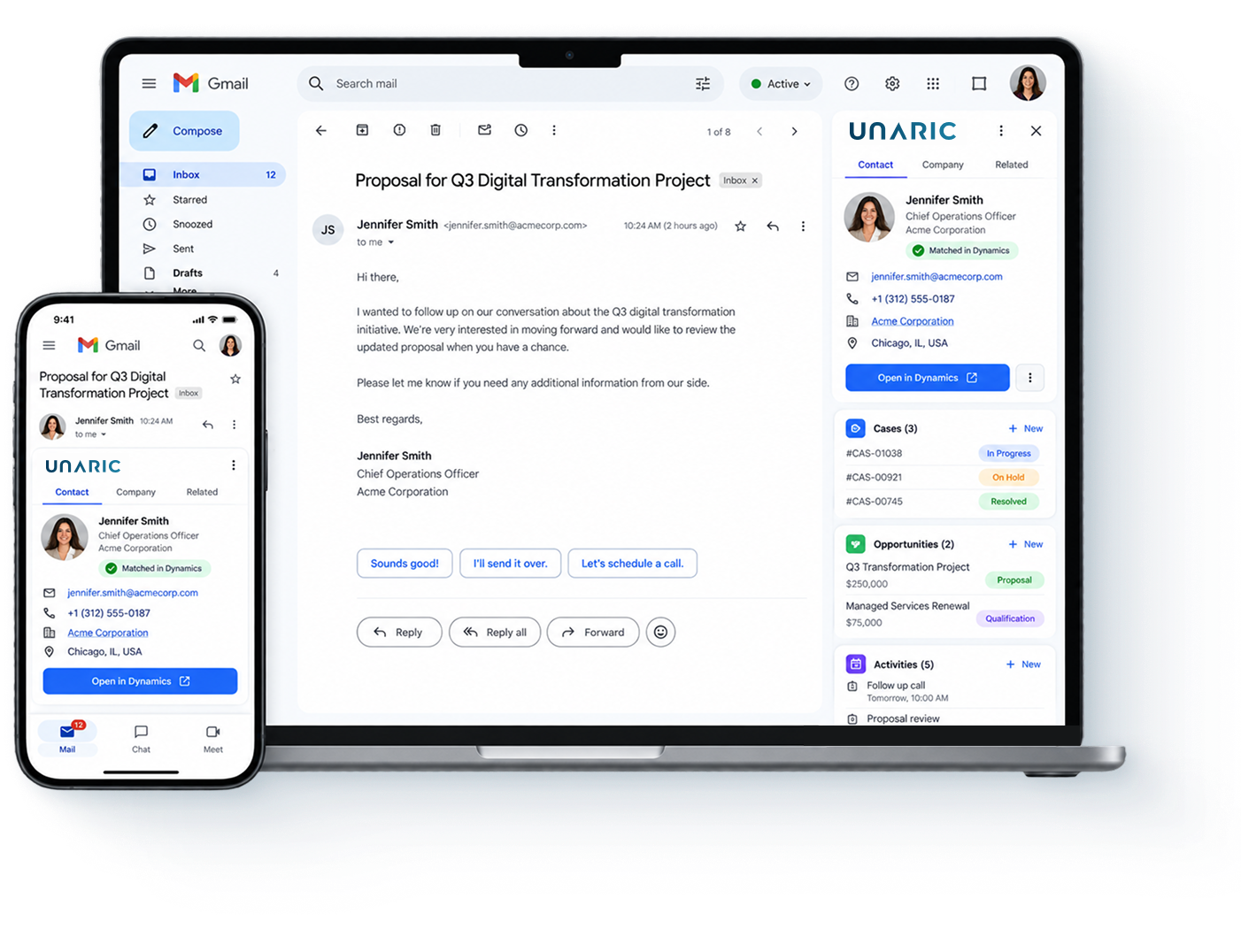
Your team works every customer email with the right Dynamics record already in front of them. Logging and updates happen as they work, so time goes back to your customers and the CRM updates itself.


Your team lives in Gmail. Your customer
data lives in Dynamics. All day, they are apart.
Your team lives in Gmail. Your customer data lives in Dynamics. All day, they are apart.
What your team can do from the inbox
Everything happens in the message already open.
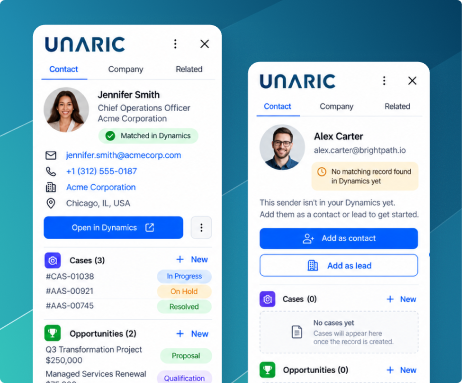
The right Dynamics record appears as the email opens
The sender is matched to their Dynamics contact or lead, with their company and open records beside the message.


A Gmail add-on, not a Chrome extension
The obvious build Chrome extension
Runs in Chrome only
Does not run in the Gmail mobile app
Installed by each person, on each browser profile
Holds broad permissions in the local browser, across every tab that is open
Competes for screen space with other extensions
Our approach Unaric Sidebar, a Gmail add-on
Runs in any modern browser, including Chrome, Edge and Safari
Runs in the Gmail app on iOS and Android
Deployed to your whole domain in a single click
Runs in Google's add-on framework, with permissions listed on the Marketplace listing before you install
One panel, inside Gmail
What your IT and CRM teams will ask
The obvious build Chrome extension
One deployment, not one per laptop
The add-on is pushed to the domain from the Google Workspace admin console. Nothing is installed on a laptop.
No Unaric credentials
Sign-in uses OAuth 2.0. The user signs in to Dynamics directly and a token is returned. We never receive the password.
Permissions you can read before you install
The scopes the add-on requests are published on the Marketplace listing.
Data quality and control
Your metadata drives the panel
Custom objects and required fields come from your instance. There is no layout to build object by object.
Capture rules, not a firehose
Rules act on From, To, CC and Subject, and internal email is excluded by default, so only the right messages reach Dynamics.
Different rules for different teams
Sync profiles are assigned per group, so one team can capture broadly while another captures very little.
Questions we are asked in the first call
Give your team their time back, and let the CRM update itself.
Fill this out and you’ll be able to choose a time instantly.
A few quick questions about your Dynamics and Gmail setup and what you want to improve.
A live demo of Unaric Sidebar based on how your team works Dynamics from the Gmail inbox.
A 30-minute call, most useful with your CRM and email admins on it, since they usually make the decision.
A practical discussion of fit, rollout path, and technical review needs
